

Becoming a successful Blooket host opens up a world of interactive learning and fun for your students or friends. Whether you’re a teacher looking to make lessons more exciting or someone who wants to create engaging quiz games, hosting Blooket games can transform any boring session into an interactive adventure.
What is a Blooket Host?
A Blooket host is someone who creates, manages, and runs interactive quiz games on the Blooket platform. As the host, you have complete control over the game experience, from choosing questions to selecting game modes and managing players during live sessions.
When you become a Blooket host, you gain access to powerful tools that help create memorable learning experiences. You can design custom question sets, choose from various game formats, and watch as players compete in real-time battles, collect virtual items, or work together to achieve common goals.
Key Responsibilities of a Blooket Host
- Creating and organizing question sets
- Selecting appropriate game modes for your audience
- Managing player participation during live games
- Monitoring game progress and addressing issues
- Analyzing results and providing feedback
Getting Started as a Blooket Host
Starting your journey as a Blooket host is straightforward and free. You’ll need to create a teacher or host account on Blooket’s official website to access all hosting features.
Account Setup Process
- Visit Blooket.com and click “Sign Up”
- Choose “Teacher” account type for full hosting privileges
- Enter your details including name, email, and password
- Verify your email address through the confirmation link
- Complete your profile with additional information about your teaching role or purpose
Once your account is active, you’ll have access to the host dashboard where all the magic happens. This dashboard is your command center for creating games, managing question sets, and reviewing game statistics.
Understanding the Host Dashboard
The Blooket host dashboard provides several key sections:
- My Sets: Where you create and manage your question collections
- Discover: Browse question sets created by other hosts
- Host Game: Start live games for your audience
- Reports: View detailed statistics from past games
- Settings: Customize your account preferences
Creating Your First Blooket Game
As a new Blooket host, creating your first game might seem overwhelming, but the platform makes it simple with intuitive tools and helpful guides.
Building Question Sets
Question sets are the foundation of every Blooket game. These collections of questions and answers drive the competitive elements that make games exciting and educational.
Steps to Create a Question Set:
- Click “Create Set” from your dashboard
- Add a title and description that clearly identifies your content
- Choose question types from multiple choice, true/false, or typing options
- Enter your questions and answers one by one
- Add images or media to make questions more engaging
- Review and save your completed set
When creating questions, focus on clarity and accuracy. Good questions should be challenging but fair, with obvious correct answers and reasonable incorrect options for multiple choice formats.
Question Writing Tips
- Keep questions concise and specific
- Avoid trick questions that might confuse players
- Use images when they add value to understanding
- Create a mix of difficulty levels to maintain engagement
- Test questions yourself before hosting live games
Blooket Game Modes Explained
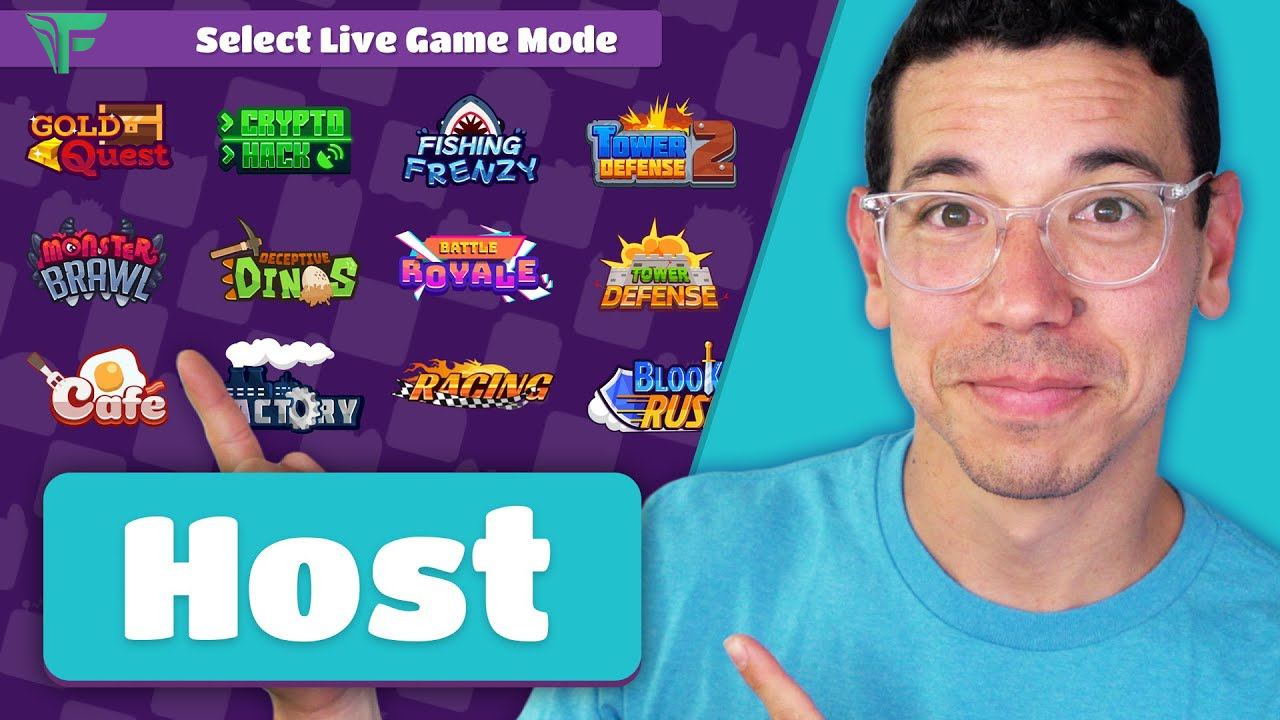
One of the most exciting aspects of being a Blooket host is choosing from various game modes that transform simple quizzes into thrilling competitions.
Popular Game Modes
Gold Quest: Players answer questions to earn gold coins and purchase upgrades. This mode combines knowledge testing with strategy as players decide how to spend their earnings.
Tower of Doom: A collaborative mode where the class works together to climb a tower by answering questions correctly. Wrong answers cause players to lose health, creating tension and teamwork.
Battle Royale: The ultimate competitive experience where players eliminate each other by answering questions faster and more accurately. Last player standing wins.
Factory: Players manage virtual factories, answering questions to earn resources and expand their operations. This mode appeals to students who enjoy building and management games.
Crazy Kingdom: A newer mode that combines elements of city building with quiz competition, allowing players to construct kingdoms while demonstrating their knowledge.
Choosing the Right Mode
Consider your audience and objectives when selecting game modes:
- For competitive groups: Battle Royale or Gold Quest work well
- For collaborative learning: Tower of Doom encourages teamwork
- For younger students: Factory or Crazy Kingdom provide gentler competition
- For review sessions: Any mode works, but Battle Royale creates urgency
Setting Up Live Games
Running live games is where Blooket host skills really shine. The process involves several important steps that ensure smooth gameplay and maximum engagement.
Pre-Game Setup
Before starting any live session, prepare thoroughly:
Technical Preparation:
- Test your internet connection and device
- Ensure all players have access to devices
- Prepare backup plans for technical issues
- Have the game code ready to share
Content Preparation:
- Review all questions for accuracy
- Verify that images and media load properly
- Check answer keys for correctness
- Plan timing for your session
Starting a Live Game
- Select your question set from the My Sets section
- Choose a game mode appropriate for your group
- Configure game settings like time limits and player options
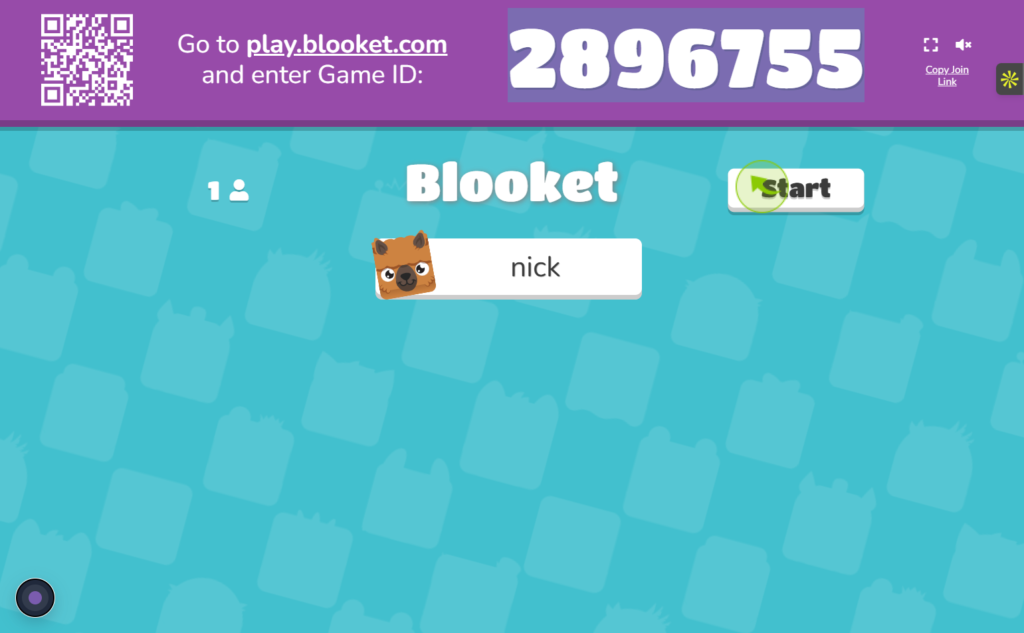
- Generate the game code and share it with players
- Wait for players to join and verify participant names
- Start the game when everyone is ready
During this process, communicate clearly with your players about expectations, rules, and technical requirements.
Managing Players During Games
Effective player management separates good Blooket host experiences from great ones. Your active involvement during games keeps energy high and ensures fair play.
Real-Time Management Tasks
Monitoring Progress: Keep an eye on player scores, participation levels, and any technical difficulties that might arise during gameplay.
Maintaining Engagement: Encourage players who are falling behind, celebrate great answers, and keep the energy positive throughout the session.
Handling Disruptions: Sometimes players choose inappropriate names or behave disruptively. Be ready to remove players if necessary while maintaining a positive atmosphere for others.
Technical Support: Help players who experience connection issues, can’t see questions clearly, or have other technical problems that prevent participation.
Communication During Games
Stay connected with your players through verbal encouragement and clear instructions:
- Announce important moments like close competitions
- Provide hints for particularly challenging questions
- Celebrate creative answers and good sportsmanship
- Keep time limits clear and fair
Best Practices for Hosting
Becoming an exceptional Blooket host requires attention to detail and commitment to creating positive experiences for all participants.
Preparation Best Practices
Content Quality: Always review questions multiple times before hosting. Spelling errors, incorrect answers, or confusing wording can disrupt the game flow and frustrate players.
Technical Testing: Run through your question sets in practice mode to identify potential issues. Check that images load properly and questions display correctly on different devices.
Time Management: Plan your sessions carefully, allowing enough time for setup, gameplay, and wrap-up discussions. Most Blooket games work best in 15-30 minute sessions.
Backup Plans: Prepare alternative activities in case of technical failures. Have paper-based versions of key questions or other engaging activities ready.
Also Read: https://flyermagazines.co.uk/unbanned-g/
During-Game Best Practices
Stay Engaged: Your enthusiasm directly impacts player engagement. Show excitement about correct answers, encourage struggling players, and maintain positive energy throughout the session.
Fair Play: Ensure all players have equal opportunities to participate. Watch for students having technical difficulties and address issues quickly.
Flexible Timing: While maintaining game pace is important, be willing to pause for technical issues or to celebrate particularly exciting moments.
Educational Focus: Remember that fun should serve learning goals. Take moments to discuss interesting answers or clarify important concepts.
Troubleshooting Common Issues
Every Blooket host encounters technical challenges and player issues. Being prepared for common problems helps maintain smooth gameplay.
Technical Problems and Solutions
Players Can’t Join Games:
- Verify the game code is correct and clearly visible
- Check that the game is actually started and accepting players
- Ensure players are using the correct website (blooket.com/play)
- Have players refresh their browsers or restart their devices
Slow Loading or Lag:
- Reduce image sizes in question sets
- Ask players to close other browser tabs
- Check your internet connection stability
- Consider reducing the number of participants
Questions Not Displaying Properly:
- Test question sets before live games
- Avoid using special characters that might cause display issues
- Keep question text length reasonable for screen sizes
- Verify that all media files are properly uploaded
Player Management Issues
Inappropriate Names: Set clear expectations about appropriate usernames before starting games. Remove players with offensive names immediately to maintain a positive environment.
Cheating or Collaboration: While some collaboration can be educational, prevent unfair advantages by spreading players out physically and monitoring behavior during games.
Disengaged Players: Try switching game modes, adjusting question difficulty, or incorporating more interactive elements to re-engage participants.
Advanced Hosting Features
Experienced Blooket host users can take advantage of advanced features that enhance the gaming experience and provide better insights into player performance.
Analytics and Reporting
Blooket provides detailed reports after each game session:
Individual Performance: See how each player performed, which questions they missed, and their overall accuracy rates.
Question Analysis: Identify which questions were most challenging, which were too easy, and where content might need adjustment.
Engagement Metrics: Track participation levels, time spent on questions, and overall session engagement.
Progress Tracking: For regular groups, monitor improvement over time and identify areas needing additional focus.
Customization Options
Question Set Organization: Create folders and categories to organize your growing collection of question sets. Tag sets by subject, difficulty, or target audience.
Collaboration Features: Share question sets with other hosts, allowing colleagues to use and modify your content. This is particularly valuable for team teaching situations.
Import/Export Functions: Move question sets between different platforms or backup your content for future use.
Building Your Question Sets
Creating high-quality question sets is fundamental to success as a Blooket host. Well-designed questions drive engagement, promote learning, and ensure fair competition.
Content Strategy
Curriculum Alignment: Design questions that directly support your learning objectives. Each question should serve a clear educational purpose while remaining engaging and appropriate for your audience.
Difficulty Progression: Include questions of varying difficulty levels. Start with easier questions to build confidence, include moderate questions for the majority of your set, and add challenging questions for competitive moments.
Question Variety: Mix different question types and formats. Use multiple choice for quick assessment, true/false for concept verification, and typing questions for more detailed responses.
Visual Elements: Incorporate images, charts, or diagrams when they enhance understanding. Visual questions often generate more engagement and help accommodate different learning styles.
Quality Control
Before using any question set in live games:
- Proofread everything for spelling, grammar, and factual accuracy
- Test all answer options to ensure they work properly
- Verify image loading and quality on different devices
- Review question pacing to ensure appropriate timing
- Get feedback from colleagues or test groups when possible
Building a Question Library
Successful Blooket hosts develop extensive libraries of reusable content:
Subject Organization: Create separate question sets for different topics, units, or skill levels. This makes it easier to find and reuse content later.
Seasonal Updates: Regularly review and update question sets to keep content current and relevant. Remove outdated references and add new examples.
Collaboration Networks: Connect with other educators using Blooket to share high-quality question sets and reduce preparation time.
Student Input: Consider allowing students to contribute questions, which increases engagement and provides insights into their understanding.
Mastering the role of Blooket host takes practice and patience, but the rewards are significant. Your ability to create engaging, educational experiences will improve with each game session. Remember that the best hosts combine technical skills with genuine enthusiasm for their content and care for their players. Start with simple games, learn from each session, and gradually incorporate more advanced features as you become comfortable with the platform. The key to success lies in preparation, engagement, and a commitment to making learning fun for everyone involved.
Ready to become an amazing Blooket host? Start by creating your free account today and designing your first question set. Your students or participants are waiting for the engaging, interactive experiences that only a skilled Blooket host can provide!
